
Street-level message clarity
Metal A-Frame Sidewalk Signs
Make the next step obvious where people are already deciding.
Create a custom street-level message for a storefront, event, open-house arrival point, check-in area, or directional moment. Start with the message people need to see, then share your artwork and project context with Real Print. The approved display system, proof path, and commercial details are reviewed before production.
Project options, display context, proof requirements, and commercial terms are confirmed with Real Print before production.
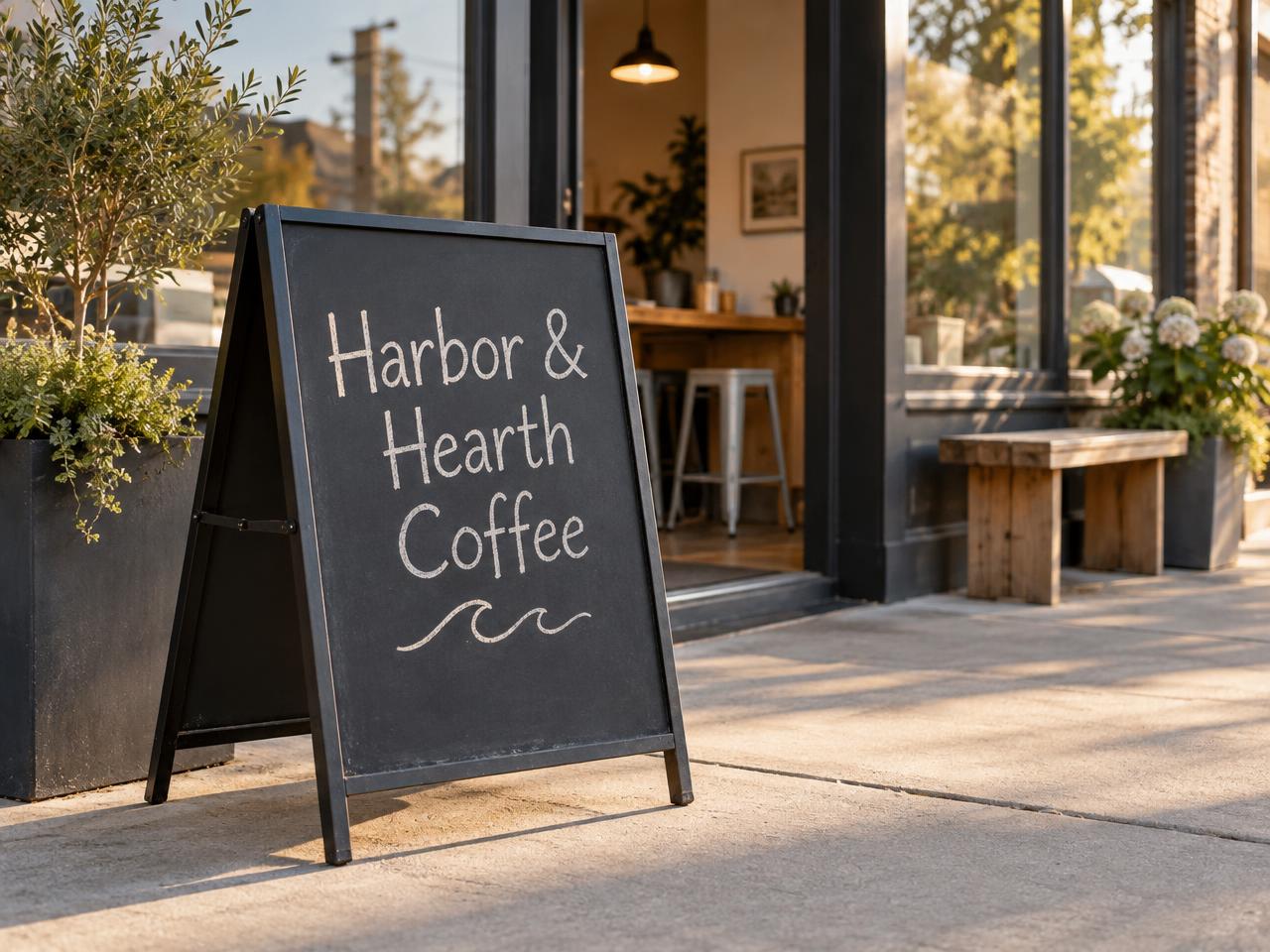
Great for
Daily offers
Give a time-sensitive promotion a simple, visible message.
Storefront welcome
Help nearby visitors understand what is happening at the entrance.
Event check-in
Mark the right arrival point without a dense instruction board.
Directional messaging
Give a clear next-step cue where the project and site allow it.
Open-house guidance
Help visitors identify the intended arrival or tour message.
Campaign rollouts
Coordinate an approved campaign across locations while adapting the local message.
Confirm placement permissions and accessible-route clearance with the property owner and applicable local authority before use.
Build around the message people need today.
A freestanding display earns its place when it carries one idea at the exact moment someone is deciding what to do next — step inside, join a line, turn a corner, or check in. Choose the single offer, welcome, direction, or event cue that matters most that day, and let everything else live somewhere with more room, like a window, a counter card, or a page on your site.
A useful message usually has three parts: a short headline someone can read while walking, one supporting detail that answers the obvious question, and one next step. Write the headline first, keep the supporting line specific, and make the next step something a passerby can act on immediately. If the message changes weekly, plan the wording so each version follows the same simple shape.
Choose the project path before the production details.
Complete display project
Start with the display need, message faces, and campaign context so Real Print can review an appropriate project path.
Availability and fit are confirmed with Real Print before an order is created. Nothing is treated as interchangeable.
Replacement message project
If a team has an existing system, share its approved identifier and requested project details so compatibility can be reviewed before an order is created.
Availability and fit are confirmed with Real Print before an order is created. Nothing is treated as interchangeable.
Multi-location rollout
Organize a master visual system with location-specific message fields, then route the project through a controlled proof review.
Availability and fit are confirmed with Real Print before an order is created. Nothing is treated as interchangeable.
Prepare artwork with confidence.
- 1
Choose the approved project path and message context.
- 2
Decide what visitors should see from each approach only if the confirmed system supports more than one message face.
- 3
Share artwork, start with an original Real Print layout, or request design support.
- 4
Review the proof for wording, QR destinations, arrow direction, dates, and campaign version.
- 5
Approve the proof and confirmed configuration before the project enters production.
A received artwork file is not automatically production-ready simply because it was received.
The proof is where the message becomes accountable.
- Business name and authorized logo
- Offer terms and dates
- Contact information
- QR destination
- Arrow direction
- Correct message-face assignment
- Approved graphic format
- Configuration-specific safe areas
- Language
- Intended campaign version
Proof requirements and the options available to you depend on the project configuration confirmed with Real Print. Review each item against the version you actually intend to display, and ask about anything that is not yet documented for your project.
Place responsibly at the point of decision.
Confirm with the property owner and applicable local authority that the sign may be used at the intended location. Keep entrances, exit paths, accessible routes, transit access, curb ramps, driveways, fire-safety access, and pedestrian flow clear. Follow the approved setup and care instructions for the selected system. Remove or secure the display when conditions, site rules, or approved use guidance require it.
Real Print does not determine permits, site permission, safe placement, or accessibility compliance for a customer location.
Questions buyers ask before they request a sidewalk-sign project.
What is a metal A-frame sidewalk sign project?
It is a quote-first project for a freestanding, two-sided street-level display that carries a short printed or written message near an entrance or decision point. You describe the location, the message, and the campaign, and Real Print reviews an appropriate display path with you before anything is produced.
What is included with my project?
What a project includes depends on the configuration confirmed with Real Print. Share the display need, the number of message faces you expect to use, and how often the message will change, and the confirmed scope is documented for you before an order is created.
Can I request a complete display and a replacement message separately?
You can ask about either path. A complete display project starts from the display need itself; a replacement message project starts from an existing system you already own. Compatibility is reviewed with Real Print first, since a replacement is never assumed to fit automatically.
Can the message be different on each face?
Only when the confirmed system supports more than one message face. If it does, plan each face for the direction people approach from. Confirm face count and assignment with Real Print before preparing separate artwork.
Which sizes, formats, or finishes are available?
Sizes, formats, and finishes are part of the configuration confirmed with Real Print for your project. Tell us where the sign will stand and what the message needs to do, and the available choices are reviewed with you rather than assumed here.
How do I set it up or change the message graphic?
Setup and message-change steps follow the approved instructions for the specific system confirmed on your project. Ask for those instructions during review so the people handling the display day to day know exactly what to do.
Can I use it outside?
Outdoor use depends on the confirmed system and on the conditions at your location. Discuss the intended placement with Real Print, and confirm site permission separately with the property owner and applicable local authority.
Will it stay stable in wind or weather?
Stability and weather behavior are not claimed here. They depend on the confirmed configuration, the approved setup guidance, and conditions on site. Remove or secure the display when conditions or site rules require it.
Do I need a permit to use a sidewalk sign?
Permission and permit rules vary by location and property. Confirm with the property owner and the applicable local authority before placing a sign. Real Print does not determine permits or site permission for a customer location.
What artwork files do you accept?
Accepted artwork formats are confirmed with your project configuration. You can share existing artwork, start from an original Real Print layout, or request design support — and a received file is reviewed before it is treated as production-ready.
Start from the need, then confirm
| Project need | Useful starting question | What needs confirmation |
|---|---|---|
| Storefront offer | What single offer should someone act on today? | Message-face count, artwork path, and approved placement. |
| Event check-in | Where exactly should arriving guests stop first? | Display path, on-site permission, and campaign version. |
| Directional message | What is the next step, and in which direction? | Arrow direction, face assignment, and accessible-route clearance. |
| Open-house arrival point | How will a first-time visitor know they are in the right place? | Project configuration, artwork readiness, and property permission. |
| Campaign refresh | What changes locally, and what stays consistent? | Compatibility with an existing system and proof review per location. |
Related pages
Ready to give today’s message a clearer place to stand?
Share the location context, campaign message, artwork path, and project details with Real Print so the right display path can be reviewed before production.